Liber.io is a free web app which allows you to easily create professional ebooks directly from any of your Google Drive documents in a standard ePub format that can be distributed on all pro marketplaces.
The app can import all formatting, images and fonts, and allows you to either upload your own cover or to choose and edit one of the ready-made ones.
To use it, you simply select a file from your connected Google Drive account, and then you set a number of options that will control, the title, meta-data, layout and pagination of your ebook.
Once you click OK your document is converted into a standard .epub file which can preview with free ebook reader like Adobe Digital Editions. You can't edit or modify the final result, but you can certainly go back to your Google document and change it according to your needs.
Your ready-made ebook can be sent in one click to your Google Play Books account, to your Kindle or to any major social media account.
Liber.io offers truly extraordinary simplicity and ease of use for anyone wanting to publish a standard format ebook without having to learn too many technicalities.
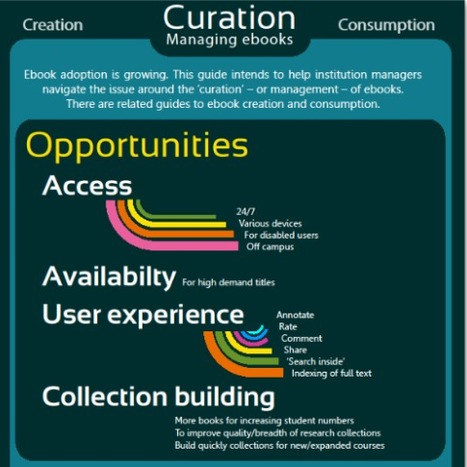
The eBookChallenge is an online resource designed to help orientate senior institutional managers and to support institutions in the effective adoption and deployment of ebooks and ebook technology.
The site contains Case studies, reports, infographics and statistics that can aid academic staff to more easily understand and evaluate the true impact and opportunities offered by ebooks.
The work done circles around three main ebook interest areas:
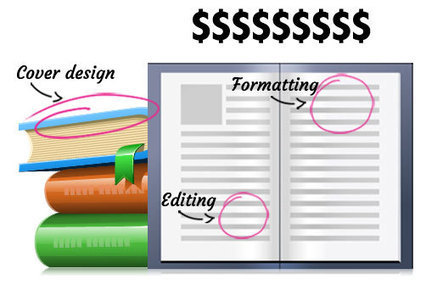
How much does it really cost to publish your own book? Miral Sattar, on PBS Mediashift, provides a very useful article outlining eight main expenditure areas and providing some indication of what the cost of doing these activities may be for an independent self-publisher.
From formatting to getting reviews, the article properly identifies all of the work steps needed to professionally publish a book without going to partner with a traditional book publisher.
I found this resource to be very useful, not so much for the precise cost ranges listed, but more for outlining so clearly to new would-be self-published book authors, how much work and how many people have been traditionally involved in this process.
While I firmly believe that today it is not necessary at all to involve all the professionals listed in this article, it is also true that for most people it is really a must to have someone checking his writing style, editing work and helping out with formatting and graphics before even considering to distribute a new book.
It should be kept in mind though that there are certainly also new alternatives for proofreading, editing and vetting your content, as well as for getting beautifully designed covers that can get those more inclined to learn to save quite a bit of money and time.
Here's an overview of e-publishing principles and skills, as well as specific services you should be aware of given their current prominence in the market.
Robin Good's insight:
Brian Klerns offers some good tidbits of information for anyone considering to publish an ebook by providing a good overview of the key things that he needs to know.
From the basic tools, file formats and down to the alternative distribution options available to you, the article offers a good summary of what you need to know and where to find it.
Of particular view, especially for those more interested in keeping up with this field, is Mr Klerns short selection of online ebook publishing resources he suggests to follow. These are:
→ Digital Book World (digitalbookworld.com): This site (by F+W Media, parent company of WD) offers news, analysis and interviews about e-book publishing. Start by reading the series of articles about maximizing sales through the Amazon Kindle by Carolyn McCray.
→ The Book Designer (thebookdesigner.com): Joel Friedlander offers practical advice and information on self-publishing digitally or in print.
→ Kindle Direct Publishing forums (forums.kindledirectpublishing.com): While most digital publishing services offer their own forums, the Kindle forums host some of the most active and comprehensive discussions. Whatever your question is, you can probably find it answered here.
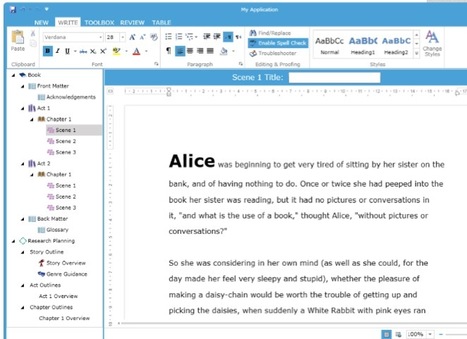
7write is a new ebook writing and publishing platform that integrates several applications and features to take a digital pub from zero to final distribution.
7write exports directly in Kindle and ePub formats compatible with the Amazon Kindle and Apple iPhone/iPad together with the Sony Reader and the formatted books it produces can also be distributed for Nook and Smashwords.
7write integrates the following dedicated applications:
- Story editor with full formatting capabilities
- A visual thesaurus to explore related words and synonims
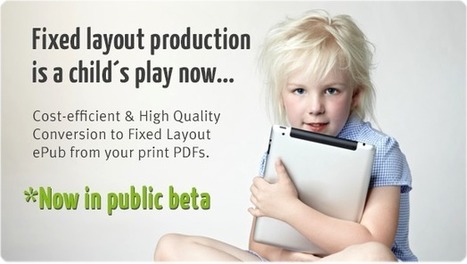
Magic ePub is a service that allows to convert PDF documents into "fixed layout" ePub files (IDPF) that can be published on iBooks, Kindle Fire, Vox and more.
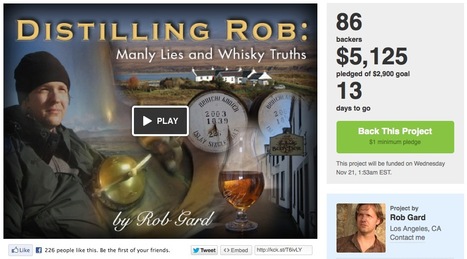
Robin Good: If you are wondering whether Kickstarter could be a good strategy option to fund your next book / eBook, Rob Gard has written an interesting and informative article on this very topic.
Robin Good: If you are writing or preparing to complete your first ebook, you have certainly been wondering what would be the best pricing strategy adopt, as the alternatives and options only seem to abund.
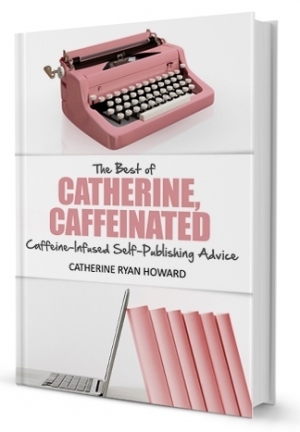
Catherine Howard writes on her blog: "How much should I charge for my book? is one of the biggest questions facing the soon-to-be-self-published author.
But I think self-published authors a year, two or three years in should also be asking themselves how much should I be charging for my books now?
The answer is as much as you can, i.e. the highest price at which your books continue to sell consistently well.
Lower than that, and you’re doing yourself—and possibly your work—a disservice. You might also be sending out subconscious messages about your book that are turning off prospective readers.
Higher than that, and your sales might slow to a trickle. Yes, it’s nice to earn seven or eight dollars off each sale (!!), but not if you’re only making two or three sales a month.
So how do we decide how much to charge for our e-books?"
To find out read the full story of how she went about it and what she learned from it.
From Portfolio.com: "...Zola Books, which has launched its app in beta today, is planning to disrupt the disrupters, wagering its success on its belief that human curation works better than algorithms when it comes to recommended reading.
The Zola Social Reader plans to bring a human touch back to e-books by bringing book critics, publishing houses, and bookworm friends back into the book-buying process.
It will work on Amazon's Kindle Fire, Barnes &Noble's Nook, and Apple's iPad as both a native app and an HTML5 app, an offering that undermines all three gadget maker's competitive edges by giving owners of their devices a new choice for where to buy books. And for an e-book industry estimated to be worth $7 billion by 2015, that’s a pretty bold move.
...
Zola’s digital storefronts... Not only will independent bookstores be able to set up their own digital storefronts, but authors, publishers, and other owners of content will be able to set the prices.
...
Like other e-book distributors, Zola’s Social Reader uses algorithms to generate quick recommendations based on user preferences, but unlike those distributors, it also gives publishers, authors, and friends the opportunity to curate lists of interesting books and highlight or comment within any book for all their friends to see."
Robin Good: Baker is an HTML5 open-source eBook publishing framework that makes it easy to create and format digital magazines and eBooks for the iPhone and iPad (some technical competence is required).
Conceived by Davide Folletto Casali and developed with his two partners Marco Colombo and Alessandro Morandi, the Baker Framework is an elegant and free solution to utilize the open standard HPub 1.o format to put together professionally-looking digital publications without needing to purchase or pay for a commercial layout tool.
Robin Good: ZinePal is a free online service which allows you to build an electronic book or magazine, by utilizing the content of any web site, RSS feed, or specific web page.
You set the layout format, fonts, sizes and number of stories to include and ZinePal outputs a professionally-looking ebook / magazine in PDF, ePub and Kindle/Mobipocket formats.
Here is how it works:
1) Start on the Create Yours page by entering the address of a web page, blog or feed that you want to include in your eBook.
2) If you enter the address of a single web page, then Zinepal adds the page to your eBook. If you enter a blog or feed, then Zinepal displays a list of stories. In this case you can select with the checkbox available next to each story, the ones that you want to add to your eBook.
3) When you are done, click the "Preview Your eBook" button at the top of the page and see what your publication will look like when completed.
4) Once editing is completed, click on "Finalize eBook" to create your eBook in PDF, ePub and Kindle/Mobipocket formats.
5) If you want to edit the contents or change the formatting of your eBook, then click on "Customize eBook".
Robin Good: Epub converter allows you to convert pdf, doc and other types of documents and e-books to EPUB format. 2epub is 100% free online converter.
2EPUB allows you to convert PDF, doc and other types of documents & books to ePub format, the standard format for ebooks, supported by almost every reading device including iPad, iPhone, iPod, Sony Reader, BeBook, Nook, Kobo (for Kindle use .mobi).
Nothing to download. Simply upload your files directly on this page by using the "Browse" button.
Robin Good: If you are looking for a basic guide on how to prepare, edit and format your eBook inside Microsoft Word, here is a good introductory guide.
Ebook Glue is a free web app which allows you to easily convert any web page URL, RSS feed, blog, or document file (.doc, .docx, .html, or .odt) into a standard formatted .epub or .mobi ebook compatible with standard Kindle, Nook, iPad, and Android reading devices.
You just provide the URL of your content or you upload a supported document file and Ebook Glue does the rest without ay intervention.
For those needing to convert large number of files and web pages to ebooks an API is provided that allows for precise customization of the conversion process.
My comment: Excellent free solution for low-volume needs. It may require you to test and verify format of your images and other elements in your layout.
Bloxp is a free web app which can autmatically convert any blog feed, from start to end, into a downloadable eBook. But there's more.
Before you actually download the final eBook in your preferred file format, you can actually select which stories from the selected blog feed you want to be included in the final publication and in which order you want them to be.
You could therefore "curate" your own selection of best posts on a specific topic you have covered in the past and rapidly create a downloadable ebook to share with your readers or to use as a lead generation offer.
Bloxp can capture up to 250 posts and clean them up properly for use inside most ebook readers, Kindle included.
Bloxp offers also the option to convert all found links into footnotes and to create a full Table of Contents.
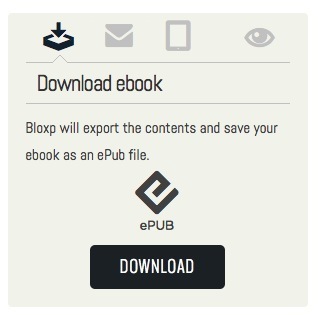
You can download your blog feed converted into an eBook as an ePub or Mobi file, ready to be distributed anywhere you like. (You can also easily create a PDF by using the "Preview" function and then saving to PDF from your own browser).
N.B.: Unlike other similar services, where only the most recent posts are included, Bloxp will crawl the given blog feed searching for every post written since it was created.
P.S.: Not all sites may work with this, but Sergio, the great guy behind Bloxp, will be happy to be notified of such instances and to try to correct them.
Blogs that works perfectly with Bloxp are those that contain a "next" and "previous" post structure, but other sites and blogs, may work fine as well.
Meet Nelson, Coupland, and Alice — the faces of tomorrow’s book.
Robin Good's insight:
Back from September 2010 this cool video about the future of books, created by Ideo, a global design and innovation agency, explores some really fascinating ideas connected to how we may want to consume, explore, research and interact with digital books in the near future. Specifically:
a) What new experiences might be created by linking diverse discussions,
b) What additional value could be created by connected readers to one another, and
c) What innovative ways we might use to tell our favorite stories and build community around books?
"[this video] blows the binding off conventional notions of how we consume the written word.
In Ideo's telling, tomorrow's books will let you join online discussions, fact-check, and even dictate the particulars of a plot -- all in a tablet-friendly format."
To present all of the possible transformations that the ebook reading experience may take, in this video clip, Ideo has painted three potential new type of reading experiences and has given them three unique names:
"1) Nelson reinforces books as critical thinking tools, providing multiple perspectives, references, and current conversations on a single subject. The layers of information beyond the book itself provide greater context and encourages a deeper dive into the book throughout history and into the future.
2) Coupland addresses the challenge to stay on top of the thinking and writing in our world and professional field that so many of us feel. Readers can easily keep up with "must-reads" by following what colleagues are reading and interact with them through "book clubs" and other social layers (discussions, suggestions, lists, purchases) to help each other share and learn.
3) Alice explores new ways for users to interact and affect written narratives by introducing non-linear and game mechanics to reading. By introducing the reader's active participation, this concept "blurs the lines between reality and fiction." Certain interactions allow the reader to transcend traditional media by utilizing geographic location, communication with characters, and user contribution to storyline and plot."
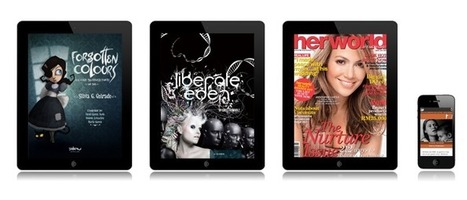
PadCMS is a fully "open-source" solution for publishing tablet-ready magazines (iOS and Android) and publications starting from your existing content documents.
No matter if your originals are in HTML, PDF, or in image or video formats, PadCMS makes it easy to import it and to format it according to one of the ready-made templates available.
PadCMS is a fully "open-source" solution for publishing tablet-ready magazines (iOS and Android) and publications starting from your existing content documents.
No matter if your originals are in HTML, PDF, or in image or video formats, PadCMS makes it easy to import it and to format it according to one of the ready-made templates available.
Robin Good: If you are about to decide which company/service to use to publish the paperback edition of your ebook you may have landed on at least one of the two companies in this sector: CreateSpace and Lightning Source.
"If you’re looking for a low cost, high royalty option, the two major competitors are Createspace and Lightning Source. While both are reputable companies that produce library-quality books, there are major benefits, drawbacks and differences to each that every author should be aware of before making an educated choice."
This article provides a good and informative overview of the key differences, pros and cons of these two services depending on the specific needs you may have.
Robin Good: Leanpub is a free web service that allows you to create, edit and publish your own book in PDF, .epub (iPad) and .mobi (Kindle) formats, and to sell it online at your own set price.
With Leanpub you get 90% of the selling price, minus a fixed .50cents per copy sold which goes to Leanpub. Check this table for more details: http://i.imgur.com/ziqV5.jpg
Leanpub it's simple to use, but, in my opinion, it's not for everyone, as its setup is not as simple and straightforward (yet) as that of other web apps. But if you are a bit familiar with Dropbox, if you can easily edit text files, and don't mind tagging your book text with a few asterisks here and there, then you should be more than fine with this tool.
Basically Leanpub hooks up to your Dropbox account where it drops a set of simple text files that control the contents, sequence, formatting and images for your book.
So to work with Leanpub, you actually open a text file in your Dropbox account, and start editing it. The Leanpub account is used only to initially create the files needed in Dropbox, to generate previews and to provide you with the means to provide marketing info for your book landing page (auto-created by Leanpub).
It is possible to start a book by importing content from your blog RSS feed or from a Word document saved in HTML format.
One other cool feature of Leanpub is its ability to allow you, as an author, to publish and start selling your book at any time, giving you the option to actually get paid from the moment you publish your first edition.
People can sign-up to your book updates via the landing page, and Leanpub collects for you their emails so that you can keep in touch with them, and alert them everytime you have a new edition out.
The final cherry on the pie at Leanpub is the "bundling" feature which allows authors to bundle together either multiple books of their own, or their books together with other authors'(and their approval) ones and to offer them at a special discounted price.
This option by itself allows book authors both to use a very powerful marketing approach juxtaposing their titles to other relevant ones, as well as to cultivate their own competence in a specific area to curate relevant book sets for their audience. Check the bundling feature in this video here: http://youtu.be/BGJoDImqSqU
From the article intro: "Inspiration hits. The light bulb goes on. You’ve got a passion, and you pursue it.
You see a need, and you fill it. There’s a question, and you answer it. You have a purpose, and you fulfill it.
These are all great reasons to begin writing a nonfiction book. And most writers, when struck by a good idea and the desire to write, simply begin writing.
However, an even better reason exists to take a bit of time before you beginning writing to evaluate your idea—at least if you want your book to be successful.
Evaluate? I can hear you groaning. No one wants to evaluate anything, especially that book idea you are so psyched about.
If you simply want to write the book of your heart and you don’t care how many copies you sell, great. Go for it.
If you want to write a successful book, meaning one that sells to lots of readers or to a traditional publisher and to lots of readers, however, it behooves you to take the time to consider if your idea is a good one by industry standards.
To do this, I suggest you discover nine things about your book idea. Once you have this information, you’ll know if your book has a chance of success."
Very good advice before you attempt to step off into the precipice of the ebook publishing world.
How many authors have spent months and months on a book--only to find out it doesn't sell because people don't care? Too numerous to mention. Get the facts, analyze and then begin your writing.
***This review was written by Penelope Silvers for her curated content on "Writing for Kindle"***
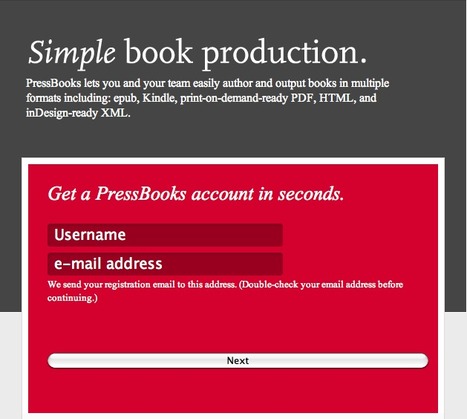
Robin Good: PressBooks is a new book publishing platform, built on WordPress, that makes it easy to collaborate with an editorial team, and to generate clean, well-formatted books in multiple outputs: .epub, Kindle, print-ready PDF, InDesign-ready XML, and of course HTML.
"PressBooks is a digital-first book publishing tool built on WordPress that integrates a set of rules for encoding, transporting and storing documents in machine-readable formats, with emphasis on simplicity, usability and accessibility, particularly over the Internet.
PressBooks also makes a web version of all books — which can be private (for production only), or public (free or behind a paywall).
PressBooks, a Montreal-based start-up, is the brainchild of Hugh McGuire, a writer and web-developer and a co-founder of Book Oven, a cloud-based publishing tool that allows people to collaborate in writing, editing and proofreading a book, all through online tools.
He’s also the founder of LibriVox.org, an all-volunteer project whose aim is to make all books in the public domain available, for free, in audio format on the internet.
It was once hailed as “perhaps the most interesting collaborative cultural project this side of Wikipedia.”
* Authors and Very Small Publishers can use PressBooks for free – we make great ebooks and typeset print books.
* Big and Small Publishers can use PressBooks as a lightweight, but extremely powerful (XML) workflow tool to output ebooks and typeset print books, for free.
The first book published using the PressBooks platform is Book: A Futurist’s Manifesto, published by O’Reilly Media.
"Along with O’Reilly Media, another big-name player seems sold on the project. Harvard Business Review Press has produced and published an ebook using PressBooks."
From the article intro: "If evolution is the cornerstone of life, that's certainly no less true in the electronic world. If you can't adapt — or fail to adapt in time — you're destined to join the ranks of the Netscape Navigators, OS/2 operating systems, and WordPerfect office suites of the world, as a warning to future technology developers that nothing lasts forever, and never in its original form.
In this light, EPUB 3 is more than just bug fixes and tweaks from the last version; it represents a major change in what an ebook can be. It's a whole new beast, you might say.
The ebook market has been going through its own kind of hyper-evolution in the mere four years since EPUB2 was released, and a flurry of new devices and document formats have come and gone in that time.
E Ink technology was all the rage in 2007 when Adobe, Amazon, Sony, and others were entering the market, however, and EPUB2 arrived to meet the new needs of these portable reading devices, with improved presentation capabilities, better navigation, support for DAISY accessibility features, and some advances in global language support.
But EPUB2, like its predecessor and contemporaries, remained a static format, in that its core only allowed for the reading of basic text and image documents."
Robin Good: Is it better to sell your eBook at .99 cents, or at a higher price? Obviously it depends onwhether you are an established author or a novice writer, and on what you write about, as there are as many good reasons to price your ebook at .99 cents as there for not doing so.
"...What price is too low? Too high? Of course, like many other issues in the literary community, opinions on the pricing topic vary from person to person.
Obviously, as a brand spanking new indie author, $10 is a tad unreasonable and won't draw readers unless you develop one hell of a hook and your sample pages are out of this world.
Yet, pricing too low also has its drawbacks.
$.99 seems to be a popular price for ebooks, but is it the best price?
When I asked regular members of the consuming public this question, their overwhelming response was that anything short of a dollar seemed 'inferior' and that pricing a book at $1.99 instead would, in people's minds, make them think that the book was of 'higher quality'.
While it is a proven psychological fact that people perceive goods and services priced at a lower rate to be not as good as their more expensive counterparts, I believe there are valid arguments to be made for pricing your book both at and above $.99."
To get content containing either thought or leadership enter:
To get content containing both thought and leadership enter:
To get content containing the expression thought leadership enter:
You can enter several keywords and you can refine them whenever you want. Our suggestion engine uses more signals but entering a few keywords here will rapidly give you great content to curate.
 Your new post is loading...


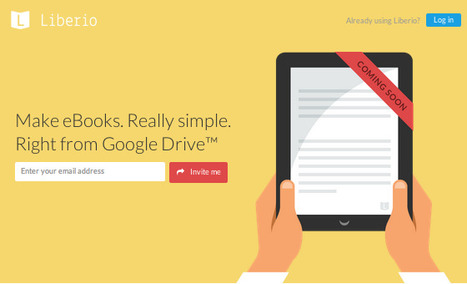





















Liber.io is a free web app which allows you to easily create professional ebooks directly from any of your Google Drive documents in a standard ePub format that can be distributed on all pro marketplaces.
The app can import all formatting, images and fonts, and allows you to either upload your own cover or to choose and edit one of the ready-made ones.
To use it, you simply select a file from your connected Google Drive account, and then you set a number of options that will control, the title, meta-data, layout and pagination of your ebook.
Once you click OK your document is converted into a standard .epub file which can preview with free ebook reader like Adobe Digital Editions. You can't edit or modify the final result, but you can certainly go back to your Google document and change it according to your needs.
Your ready-made ebook can be sent in one click to your Google Play Books account, to your Kindle or to any major social media account.
Liber.io offers truly extraordinary simplicity and ease of use for anyone wanting to publish a standard format ebook without having to learn too many technicalities.
Free to use.
Request invitation here: https://liber.io/